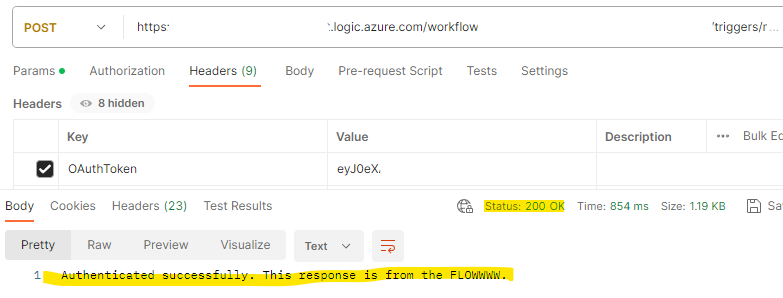
I needed to securely send data to a Dataverse environment in a client’s tenant from my Azure tenant. The target endpoint listening for HTTP requests to consume the data was a HTTP triggered Power Automate Flow.
As HTTP triggered Power Automate Flow’s are natively exposed to the Internet, I needed to find a way to securely handle Authentication and Authorisation without hard-coding any credentials, keys, etc into the Trigger condition. I needed something dynamic and secure – OAuth would be a great fit, but how can we validate the token in Flow?
Creating a service principal for the Flow
I created a new App Registration in the client’s Azure tenant to act as the identity. The key requirements to note down when creating the App Registration are:
API Permissions
As the Flow is going to access Dataverse, I needed to add the Dynamics CRM user_impersonation permission in addition to the default Microsoft Graph User.Read permission.

Client Secret
I generated a client secret so that we will be able to fetch a token.
Manifest – oauth2AllowImplicitFlow
In the Manifest of the App Registration, we need to set oauth2AllowImplicitFlow to true.
Manifest – allowPublicClient
In the Manifest of the App Registration, we need to set allowPublicClient to true.
Adding the service principal to the Dataverse / Power Platform environment
Now that we have our service principal registered in Azure, we need to add it to the Power Platform environment. Head to the Power Platform Admin Centre, select the relevant environment, and go to Settings -> Application users.
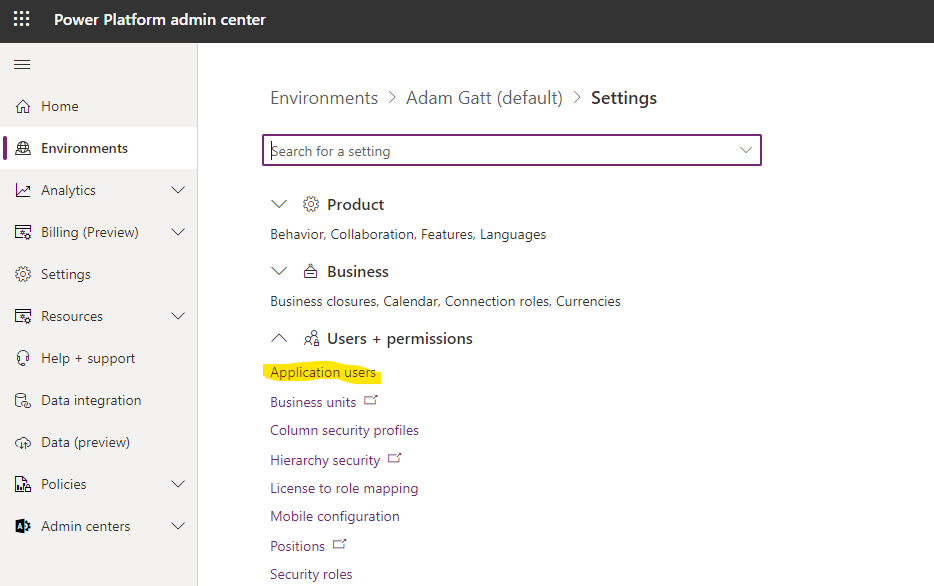
Once in Application users, click the + New app user button in the top nav. This will reveal a panel that will allow you to search through App Registrations in the tenant, and assign the organisation and security role(s) to apply. Once added, ensure the App user is in an Active state.
Validating the OAuth token in the Flow
Once you have generated the OAuth token, you can’t include it in an Authorization header like you normally would when making an API call to an endpoint. The presence of an Authorization header in requests sent to a HTTP triggered Flow will cause a conflict with the sig and cause the request to fail to trigger the Flow. As a result, once generated, include it in a custom header. I included the OAuth token in a header named OAuthToken.
Parse Headers (Parse JSON)
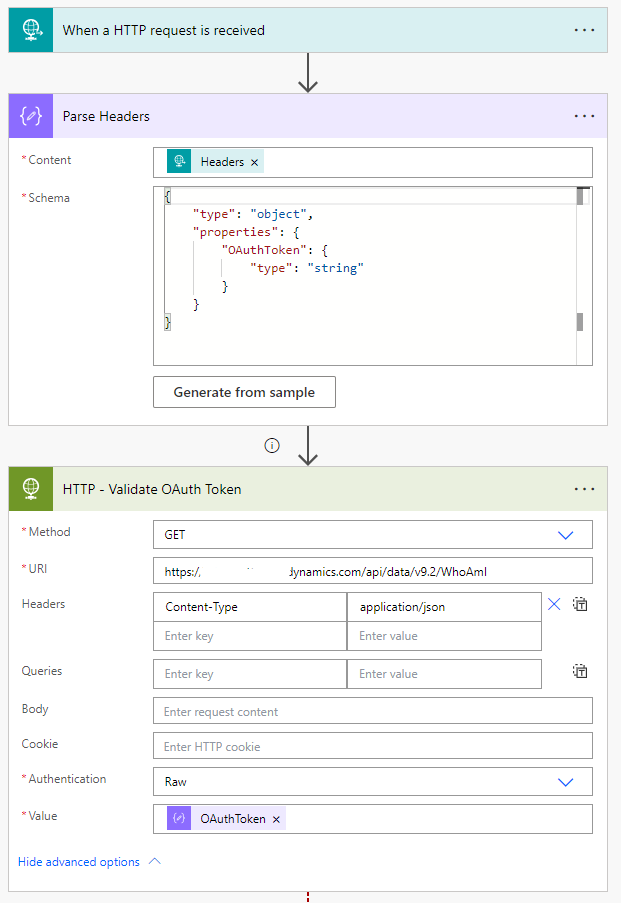
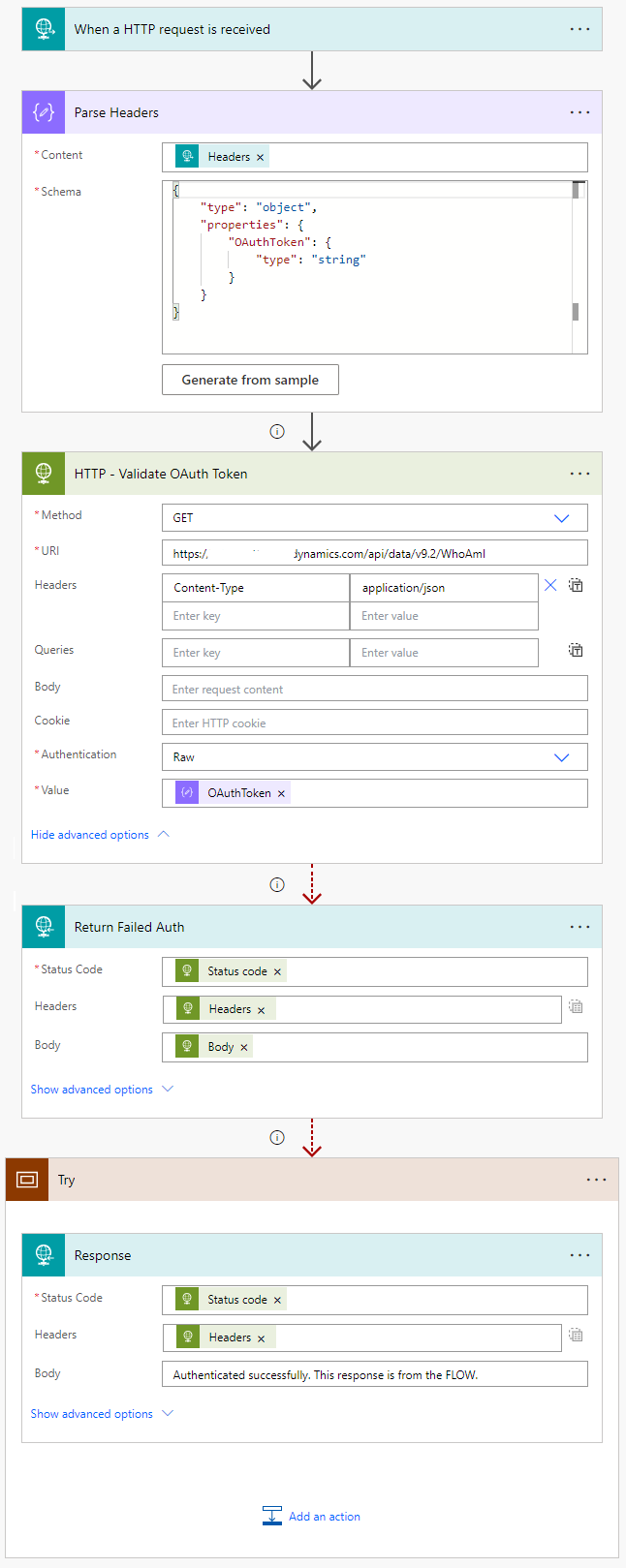
I include a Parse JSON action following the trigger to parse the headers. I include only a minimal schema so that I can easily access the OAuthToken property later.
HTTP – Validate OAuth Token (HTTP Request)
Next, I add a HTTP Request action. Run after is configured for all scenarios as I want it to run even if Parse Headers fails. I configure it to make a GET request to the WhoAmI Operation in the target Dataverse environment. I set Authentication to Raw, and include the OAuthToken header value.
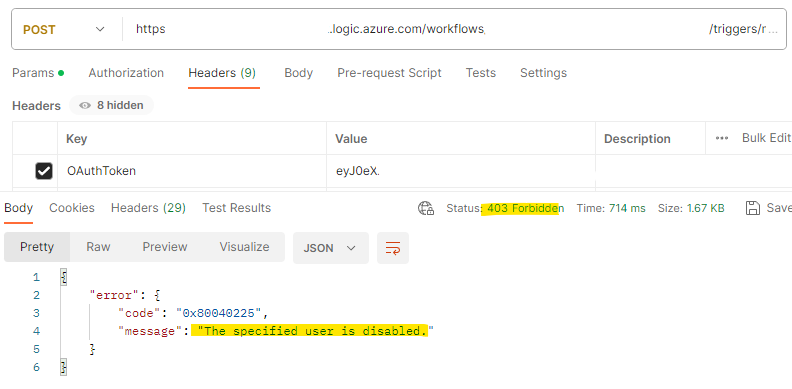
If the OAuth token is invalid, does not have relevant API permissions to call Dataverse, the service principal hasn’t been added to the Power Platform environment, or is Inactive, the HTTP Request will fail.
*Note that if the OAuthToken header value does not contain ‘Bearer ‘ before the token value, you will need to include ‘Bearer ‘ in the Value field.
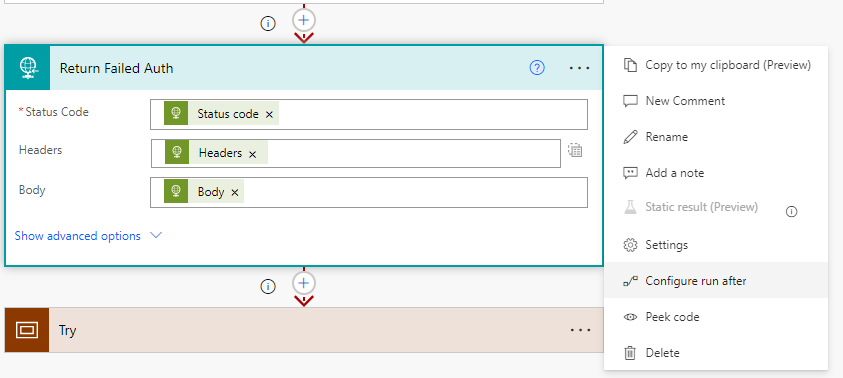
Return Failed Auth (HTTP Response) & Configuring run after
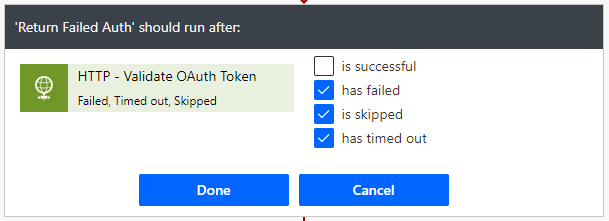
This action has been configured to only run if the HTTP – Validate OAuth Token action is not successful. This is because we want to return the failed response back to the client. If the token is validated successfully, this action will be skipped and we can continue.
Try (Scope)
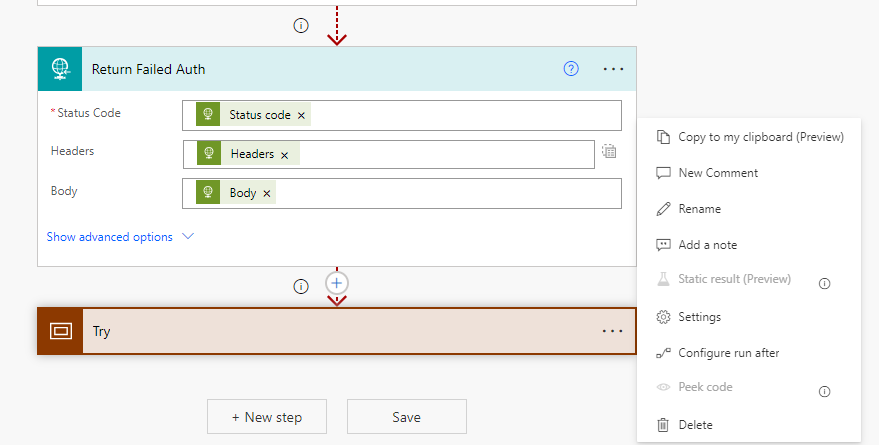
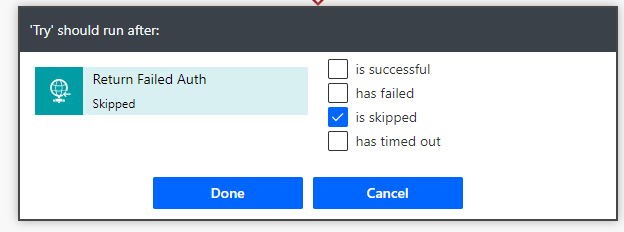
To continue processing if OAuth token validation is successful, I add a Scope and configured it to only run after the Return Failed Auth is skipped. If skipped, it means that the Validate OAuth Token HTTP Request was successful and we can consider OAuth token validation as passed. Within the Try is where you can then build out the actual logic of the Flow.
The complete Flow
The end results
Let’s take a look at what happens when we call the Flow from Postman.
Calling the Flow with an invalid OAuth token
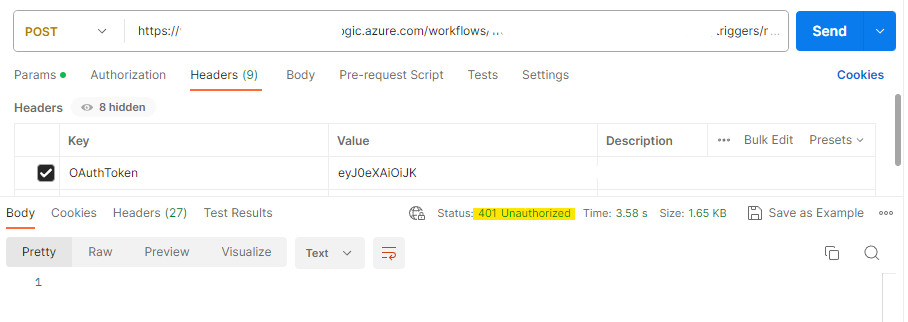
Calling the Flow with an Inactive service principal
Calling the Flow with a valid OAuth token